
To create a new user, navigate to "My Company" on the main menu and select "Manage Users".

Select "Create User" on the right.

Complete all of the required fields. The Initial Holdings Report will be due 10 days after the new user's start date.
Please note that you are required to choose to send the activation link upon creating the user or wait until a later time.
If you choose not to send the activation link upon creation, you can send the activation link at another time by going back to the Manage Users page and finding the user. Once you have found the user you would like to send the link to, you will click the down arrow next to View and choose "Send Activation Email."
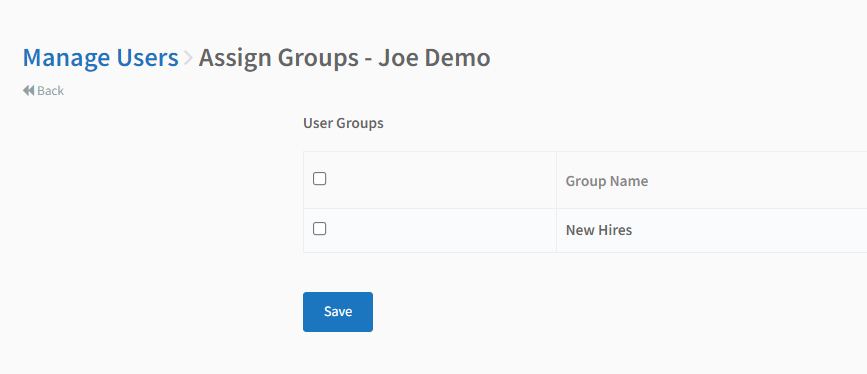
After creating a user, you'll be prompted to assign them to any groups that have been previously created. Check the box of the group you wish to assign the user too. Leave all boxes unchecked if you wish to not assign them to a group.
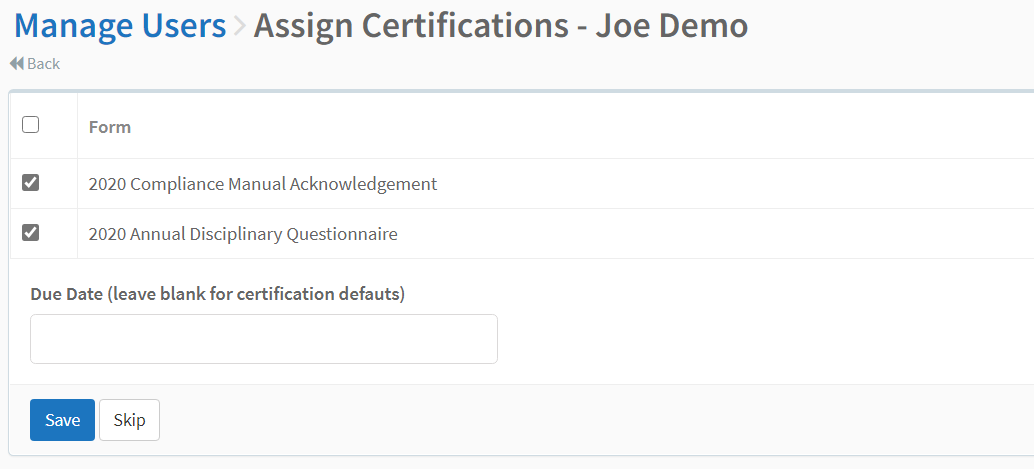
After assigning the user to a group(s), you will be prompted to assign them to assign them certifications. Check the applicable certifications and set the due date. If you do not enter a due, it will default to the due date originally set with the certification. Select "Save" or "Skip" to assign them at a later time.
Comments
0 comments
Please sign in to leave a comment.