
Different reports can automatically be generated and assigned to users through gVue. These reports include: Annual and Initial Holdings; Quarterly Transactions; Gifts and Entertainment, Political Contributions, Outside Business Activities, Brokerage Accounts, or a combined report of these disclosures. Admin users have the ability to select which reports are generated and how frequently along with the signature language by navigating to "Settings" from the admin dashboard.
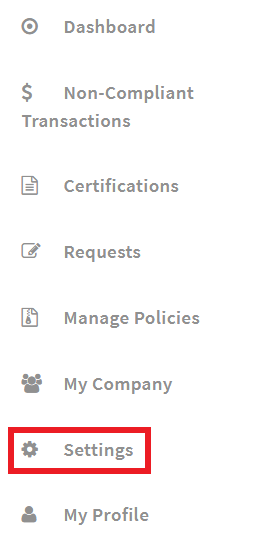
Click the Reports tab from the Settings homepage. After clicking on the tab, find the "Manage Reports" link and click on it.

Reports can be generated quarterly, annually, or both by choosing the corresponding check box(es). Holdings Reports and Brokerage Accounts Reports can also be generated initially when a user is created. Do not choose any option if you do not want that type of report to be generated.
Reports can be generated for specific user groups by clicking the settings icon next to the report type(s). Choose the desired user group that should be assigned to that report, then click "Save" at the bottom of the page.
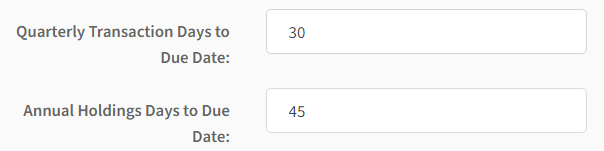
Due dates for quarterly transaction and annual holdings reports can be updated by entering the number of days desired. The default is set to have quarterly transaction reports due 30 days after being assigned and annual holdings reports due 45 after being assigned.
There is default signature language for each report type that the employees will be required to agree to when completing these reports. Admins have the ability to update the signature language by making their changes in the text box for the corresponding report. Click the + icon below the signature language to add another agreement.
Please note these are listed in the reports with the options to "Agree" or "Disagree."
Admins have the option to add custom text to the top of the reports for users to see. The custom text can be added from the settings page along with the signature language. In the sample below, a reminder was added for users to be sure their brokerage accounts are linked before completing the Initial Holdings Report.
Comments
0 comments
Please sign in to leave a comment.